Broken links hurt your website in two major ways: they frustrate users and harm your SEO. When visitors encounter a 404 error, they lose trust in your site. Meanwhile, search engines like Google may penalize your rankings if broken links signal poor maintenance.
Here’s how to fix them before they become a problem:
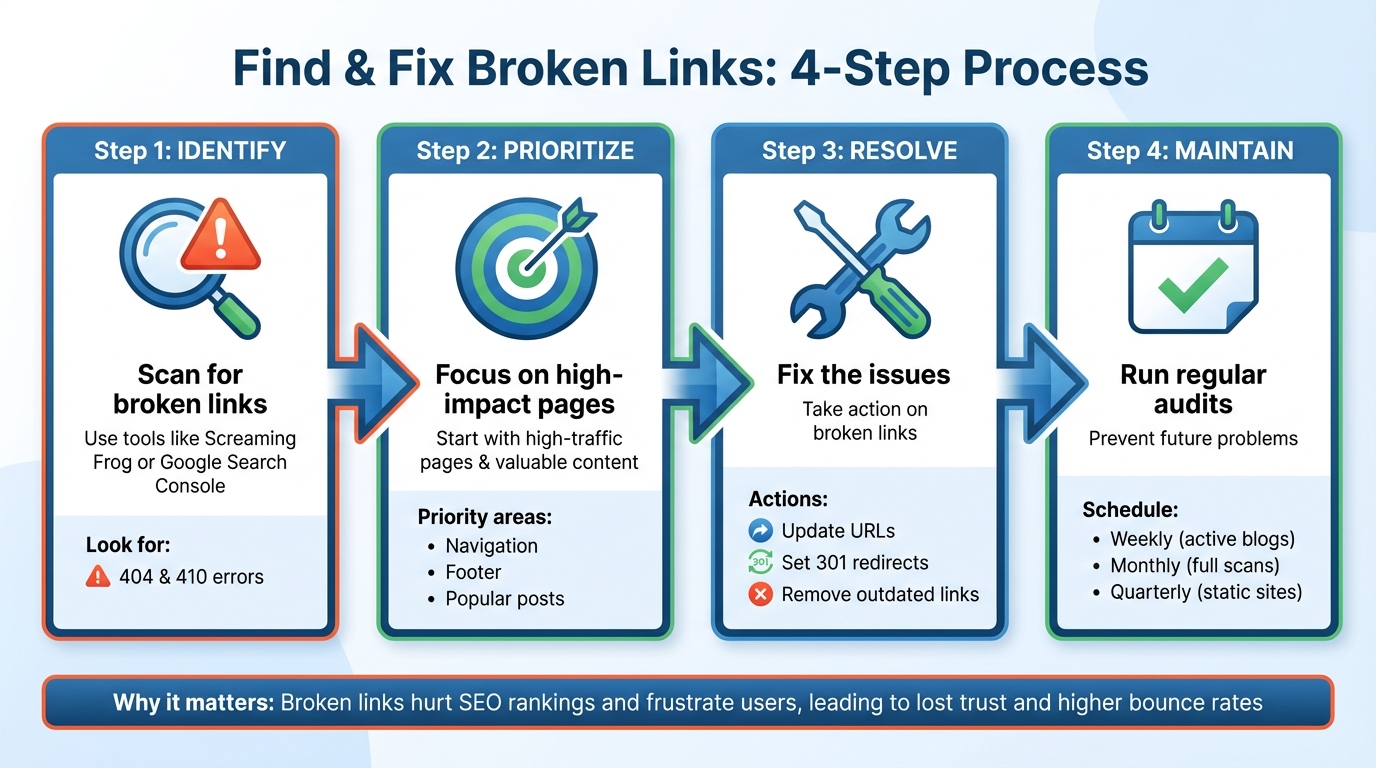
- Identify broken links: Use tools like Screaming Frog or Google Search Console to scan your site for errors like 404s or 410s.
- Prioritize fixes: Start with high-traffic pages and links pointing to valuable content.
- Resolve issues: Update incorrect URLs, set up 301 redirects, or remove outdated links.
- Regular maintenance: Run weekly or monthly audits to prevent broken links from piling up.
Proactive link checks protect your SEO, improve user experience, and keep your site running smoothly.
What Broken Links Are and Why They Matter
Defining Broken Links
A broken link (also called a dead link) is a hyperlink that leads to a page that no longer exists, triggering error codes like 404 (Not Found) or 410 (Gone) instead of delivering the expected content. These links can be frustrating for users who encounter error pages instead of the information they were seeking.
Broken links can fall into three categories: internal links (within your website), outgoing links (pointing to external websites), and backlinks (links from other websites to yours). They often occur when pages are deleted, URLs are changed without proper redirects, or mistakes are made during link creation. Other causes include large-scale website overhauls, updates to your content management system (CMS), or external resources expiring.
Now, let’s explore how broken links can negatively impact both SEO and user experience.
How Broken Links Hurt SEO and User Experience
Broken links can harm your website in two major ways: by wasting your crawl budget and by frustrating your visitors. When search engine crawlers, like Googlebot, encounter broken links, they hit dead ends, which can make your site appear neglected and poorly maintained. This inefficiency can hurt your SEO performance.
For users, broken links are equally problematic. They increase bounce rates, create frustration, and erode trust in your website’s reliability. As Isabella Edwards, Technical SEO Content Manager at SEOmator, puts it:
“Broken links compromise the user experience, leading to frustration and trust issues, making visitors less likely to return to your site”.
The combination of inefficient crawling and unhappy users can lead to a drop in search rankings, making it essential to address broken links promptly.
Why You Should Find Broken Links First
Catching broken links before Google does is crucial if you want to protect your rankings. Googlebot is constantly evaluating websites for quality and user experience. If you wait for warnings in Google Search Console, it may already be too late - Google might have noticed the broken links and adjusted your rankings accordingly.
Getting Ready for a Broken Link Audit
Setting Up Technical Requirements
Before diving into a broken link audit, make sure your website’s technical foundation is solid. Start by enabling HTTPS to secure connections across your site. Consistent URL structures are also key - frequent changes to URLs can lead to an increase in broken links over time.
You’ll also need access to your hosting platform and CMS for quick fixes. Whether you’re using WordPress, Shopify, or a custom CMS, keep your login credentials handy. If a development team handles your site, now’s the time to coordinate with them so they’re ready to implement fixes as soon as broken links are identified.
Once these technical details are squared away, the next step is to gather a complete inventory of your site’s URLs.
Building a Site Inventory
To begin, export your site’s URLs from your XML sitemap - this is often located at yoursite.com/sitemap.xml. If you’re using WordPress, plugins like AIOSEO can scan your content and compile a list of URLs. Keep in mind that analyzing more than 200 links may require a paid account for some tools.
Another free option is Google Search Console. Navigate to the “Coverage” report under the “Index” section to review all the pages Google has indexed, including those flagged with “Not Found” errors. For a more detailed crawl, consider using tools like Screaming Frog SEO Spider, which can scan your entire site and export the data for further analysis.
Focus on high-traffic areas such as navigation menus, footer links, and frequently used page templates. These sections are often the most visible to users and can have a larger impact on the overall user experience.
Choosing Metrics to Monitor
With your inventory in hand, it’s time to track the metrics that matter. Start by monitoring the total number of links, the count of broken links, and the ratio of internal to external links. These metrics provide a snapshot of your site’s health and can help you identify patterns or issues over time.
For each broken link, analyze its HTTP status code - such as 404, 410, or 500-level errors - along with the source page where the link appears and the target URL that’s no longer functioning. Prioritize fixing broken links on your most popular pages and those pointing to valuable content. These links have the greatest influence on both your search engine rankings and your visitors’ experience.
Finding Broken Links with Online Tools
Running Full-Site Crawls
Online crawlers work like search engines, scanning your website to spot broken links - both internal and external. These tools generate detailed reports highlighting each broken URL, its source page, anchor text, and HTTP status code. You can sort the results by error type, such as 404 (Page Not Found) or server-side errors in the 500 range. This sorting helps you focus on the most critical issues first. Regular scans are a smart way to catch and fix broken links early, preventing them from piling up and negatively affecting your site’s performance.
If you’re dealing with a specific page, there’s a quicker way to check for issues.
Checking Individual Pages
Sometimes, you only need to scan a single page. Many tools let you enter a specific URL to quickly check all the links on that page. This method is handy for pages like your homepage, a popular blog post, or a pricing page. It’s especially useful after publishing new content or making updates to ensure everything is working as it should.
Reading Broken Link Reports
Broken link reports are your roadmap for making fixes. These reports usually include key details: the source page (where the broken link is located), the broken URL (the link that’s not working), the HTTP status code (like 404 or 500), and sometimes the number of links pointing to the broken URL.
Some tools even categorize issues by severity - errors, warnings, or notices. This helps you prioritize, such as addressing 404 errors on high-traffic pages before less critical issues. However, it’s a good idea to manually verify flagged links since tools occasionally misidentify active links as broken. Keep in mind, while these tools confirm whether a URL is live, they won’t tell you if the content on that page is still relevant or aligns with your original intent.
Once you’ve reviewed the report, take action. If the page has moved, set up a 301 redirect. If the URL contains a typo or has changed, update it. And if the content is no longer relevant, consider removing the link altogether. After making these fixes, run another scan to confirm that all issues have been resolved.
Finding and Fixing Broken Links with Hoverify
Using Hoverify’s SEO Tools
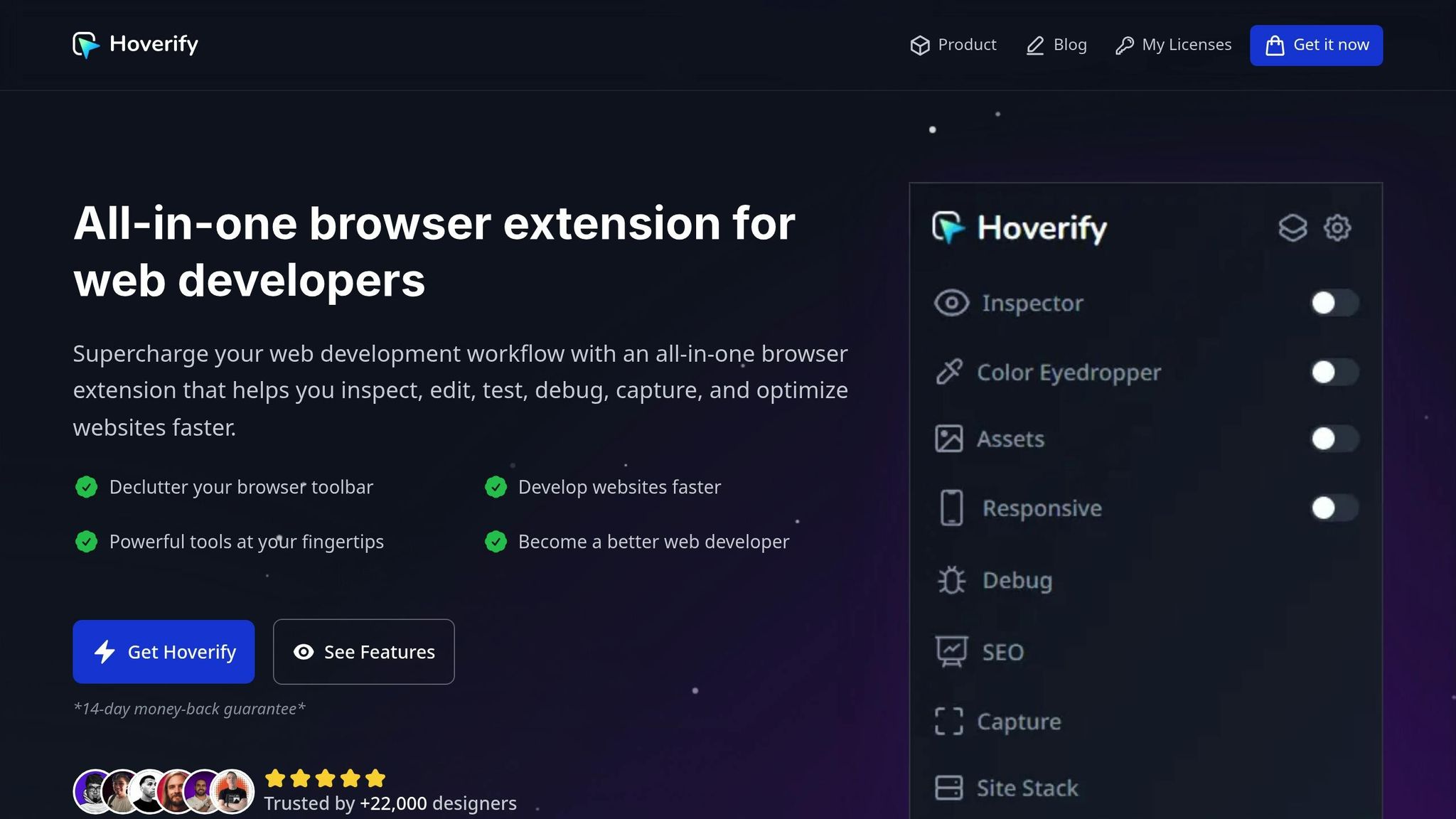
Once you’ve completed your site audit and identified broken links, Hoverify’s SEO tools can help you tackle the problem efficiently. This browser extension comes with a “Links” feature that checks the integrity of both internal and external links on any webpage you’re viewing. It flags broken links and highlights redirect issues, making it a handy tool for keeping your site in good shape.
To use it, open Hoverify’s SEO tools while browsing your site. The “Links” feature scans the page in real time, marking any broken links or redirect problems. This makes it easier to address link issues during routine content checks or after publishing updates.
Testing and Documenting Your Fixes
Once you’ve updated the links, use Hoverify’s Responsive Viewer to test how they perform across different devices. Then, document your fixes using Hoverify’s Capture tool, which lets you take screenshots and add annotations. These visual records can be saved as part of your maintenance log, helping you track updates over time.
Creating a Regular Broken Link Maintenance Schedule
Setting Audit Schedules
Regular broken link audits are essential for keeping your site healthy and maintaining strong SEO performance. For active blogs, aim for weekly audits, while static sites can often get by with quarterly checks.
Break your audit schedule into three levels:
- Weekly reviews: Focus on high-priority broken links and new 404 errors flagged in Google Search Console.
- Monthly full-site scans: Identify issues across your entire domain.
- Quarterly content audits: Tackle redirects and refine your internal linking strategy.
This layered approach helps you catch problems early without becoming overwhelmed by maintenance tasks.
Mixing Full Scans with Real-Time Checks
Once your audit schedule is in place, use a combination of scanning methods for effective maintenance. The best strategy pairs monthly site-wide crawls with real-time checks during your day-to-day work.
For example, run a comprehensive full-site scan each month to catch widespread issues. At the same time, use tools like Hoverify when updating pages or adding links. Hoverify’s Links feature allows you to quickly check for broken links on the spot, ensuring they don’t cause problems later.
Real-time checks are especially useful during updates, as they prevent broken links from going live and save you from extra cleanup down the road.
Recording Your Results
A solid audit routine isn’t complete without proper documentation. Track details like the date of each audit, the number of broken links found, affected pages, and the root causes of the issues.
Keeping detailed records helps you spot recurring problems and focus on targeted fixes. Plus, this documentation can be a great resource when you need to explain your efforts or show SEO improvements to stakeholders.
Conclusion
Broken links can harm both your SEO rankings and the trust users place in your site. As Codeable.com explains, “Link integrity is an essential element of website health, essential for maintaining organic rankings and ensuring customer satisfaction”. When search engines like Google encounter too many broken links, they may interpret this as a sign of neglect, which can negatively affect your rankings.
The key to staying ahead is catching and fixing broken links before they pile up. Tools like Hoverify make this easier by identifying broken links and enabling real-time edits through its Inspector feature - no need to juggle multiple tools.
However, tools alone aren’t enough. Consistent habits are crucial to maintaining a healthy site. Set up a regular audit schedule - weekly for active blogs or quarterly for less frequently updated sites. Additionally, ensure that anyone publishing content checks all links beforehand. This proactive approach helps protect your site’s credibility, saves time on future fixes, and keeps your search performance intact.
FAQs
Why are broken links bad for my website’s SEO?
Broken links can seriously hurt your website’s SEO. They make it difficult for search engines to properly crawl and index your pages, which can reduce your site’s visibility. On top of that, broken links can drag down your page authority and drive up bounce rates - two factors that can negatively affect your rankings.
For visitors, broken links are a major source of frustration. They disrupt the browsing experience and can cause you to lose traffic, leads, and even revenue. To keep your website running smoothly and ensure both users and search engines are happy, it’s crucial to regularly check for and fix any broken links.
How can I find and fix broken links on my website?
Identifying broken links on your website plays a key role in maintaining a seamless user experience and safeguarding your SEO rankings. Tools like Google Search Console, Screaming Frog SEO Spider, or other link-checking software can make this task much easier. These tools can scan your site, pinpoint broken links, and allow you to address the issues promptly before they impact your site’s performance.
By routinely checking for broken links, you not only enhance the experience for your visitors but also keep your website free of errors - something search engines prioritize when determining rankings.
How often should I check my site for broken links?
To keep your website functioning well and preserve strong SEO rankings, make it a habit to check for broken links at least every three months. If your site experiences heavy traffic or undergoes frequent updates, you might want to run these audits more often to address problems promptly. Regular maintenance not only improves the user experience but also helps avoid potential penalties from search engines.