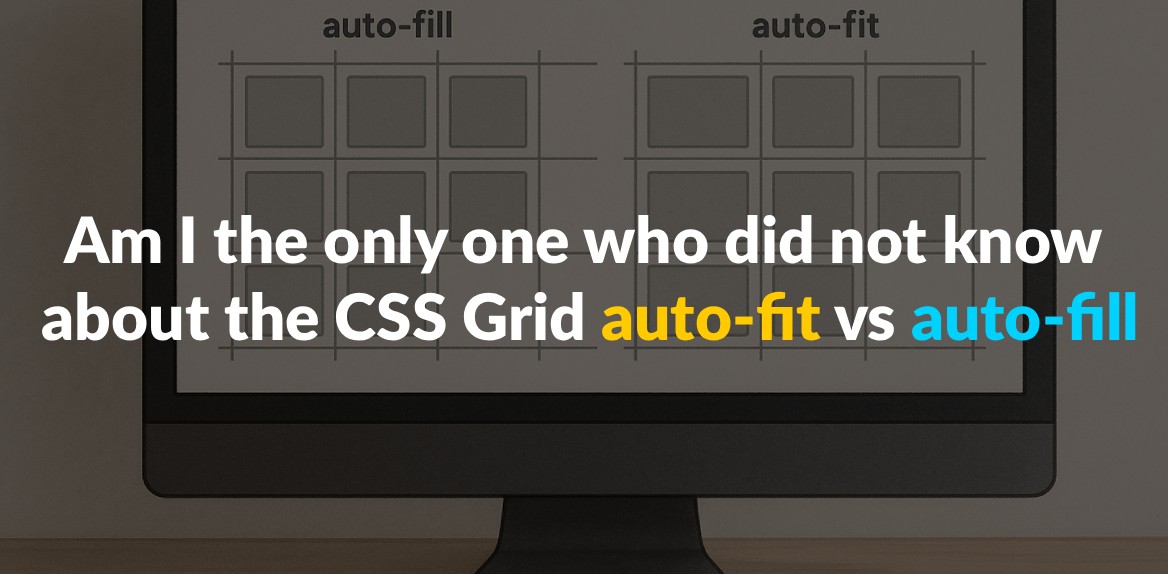
CSS Grid’s auto-fit and auto-fill look interchangeable at first, but they treat empty space differently. Auto-fill creates as many columns as fit in the container and keeps the empty ones around, which preserves uniform spacing. Auto-fit collapses those empty columns and lets the remaining items stretch until the content spans the full width.
Quick Comparison
| Feature | Auto-fill | Auto-fit |
|---|---|---|
| Empty Columns | Retained, even if unused | Collapsed, allowing content to stretch |
| Layout Flexibility | Maintains fixed spacing | Content adjusts to fill available space |
| Use Case | Uniform grids (e.g., photo galleries) | Responsive layouts (e.g., dashboards) |
Understanding these differences helps you choose the right option for your design needs. Read on for practical examples and tips!
1. CSS Grid auto-fit
The auto-fit property in CSS Grid offers a smart way to handle columns, creating grids that adapt to their content rather than sticking to a rigid structure. When combined with the repeat() function, it allows for layouts that adjust dynamically to the available space.
How it handles empty columns
What makes auto-fit stand out is how it deals with empty columns. Instead of keeping them, it collapses those unused spaces, resulting in a grid that responds directly to the content it holds.
Essentially, the browser first checks how many columns could fit within the container. Then, it eliminates any empty columns and redistributes the extra space to the columns that contain content. This approach ensures that the grid layout always looks balanced and efficient.
Impact on grid item appearance
When auto-fit collapses empty columns, the remaining grid items stretch to fill the available space. This ensures that your content spans from edge to edge, creating a clean and polished look.
Instead of leaving awkward gaps or unutilized areas, auto-fit ensures that every grid item grows proportionally to make the most of the container’s width. The result is a layout that feels cohesive and visually appealing.
When to use auto-fit
The auto-fit property shines in situations where you need a layout that adapts to varying amounts of content or different screen sizes. It’s particularly useful for grids that need to remain flexible - think dashboards, product pages, or any design where the number of items changes dynamically.
This property is perfect for card-based layouts, image galleries, or any interface where maintaining a balanced and responsive design is key. It ensures your layout looks complete, no matter how much content you have or how wide the viewport is.
Built-in responsiveness
Beyond collapsing empty columns, auto-fit simplifies the process of creating responsive designs. It automatically adjusts column sizes and wraps elements as needed, leaving the browser to handle the complex calculations. This means your grid will always adapt seamlessly to changes in content or screen size, making it a powerful tool for modern web layouts.
2. CSS Grid auto-fill
Unlike auto-fit, which collapses empty columns, auto-fill keeps them intact, resulting in a stable grid structure. The auto-fill property works by creating as many columns as possible within the available space, even if some of them remain empty. This behavior makes it a practical choice for specific layout needs.
How it handles empty columns
With auto-fill, empty columns are preserved in the grid, rather than being removed. When the browser calculates the layout using auto-fill, it determines the number of columns based on the specified size constraints. Even if no content fills some of these columns, they still take up space in the row. These placeholders can play a key role in maintaining alignment and spacing across the layout.
Why and where to use it
Since empty columns remain in the grid, auto-fill ensures a consistent structure where grid items keep their fixed dimensions. This approach is particularly helpful in layouts where uniformity is key. For instance:
- Photo galleries: Ensures images stay proportional and aligned.
- Product catalogs: Maintains consistent spacing between items.
- Card layouts and dashboards: Keeps content neatly arranged without distortion.
Additionally, when dealing with dynamic content that loads over time, auto-fill prevents sudden layout shifts by keeping the grid stable as new items are added.
Making layouts responsive
auto-fill adapts seamlessly to responsive designs by adjusting the number of columns as the screen size changes. On smaller screens, its behavior is similar to auto-fit. However, on wider screens, the difference becomes clear - auto-fill retains extra columns, preserving the original spacing and structure. This makes it an excellent choice for dynamic interfaces like content management systems, where maintaining a consistent grid layout is crucial for design integrity.
Pros and Cons Comparison
Here’s a closer look at how auto-fill and auto-fit stack up against each other. Use this breakdown to weigh the trade-offs and decide which is better suited for your layout needs.
| Feature | auto-fill | auto-fit |
|---|---|---|
| Empty Tracks | Creates empty tracks if there aren’t enough items to fill all columns | Collapses empty tracks, allowing items to stretch and fill the space |
| Responsiveness | Less flexible; maintains column size but may leave empty spaces | More adaptive; items stretch to fill the container, adjusting to screen size |
| Layout Consistency | Keeps a fixed grid layout with consistent spacing | Stretches content to fill the entire width, adapting to container size |
Auto-fill is ideal when you want a grid layout that maintains consistent spacing, even if it leaves some empty space. It’s predictable and works well for designs where uniformity matters across different screen sizes.
On the other hand, auto-fit shines in responsive designs. It stretches items to fill the available space, creating a seamless edge-to-edge look. This flexibility makes it great for dynamic layouts but can lead to issues, like excessive stretching, when there are only a few items in the grid.
Both properties are powerful tools for creating responsive layouts without the need for media queries. Your choice depends on whether you prioritize layout consistency or the ability to adapt dynamically to changing container sizes.
Conclusion
Grasping the difference between auto-fit and auto-fill is a game-changer for refining your responsive design approach. At first glance, these CSS Grid properties might look alike, but their functionality is quite distinct, and understanding this distinction can elevate the effectiveness of your layouts.
The main difference lies in how each property deals with empty space. Auto-fill focuses on creating implicit columns to pack the row with as many as possible, while auto-fit adjusts by collapsing empty columns, making the existing ones expand to fill the available space.
Your choice between these two depends on your design goals. Auto-fill is ideal for scenarios where maintaining a consistent, structured layout is the priority. It ensures uniform spacing and avoids awkward stretching, even when content is sparse. On the other hand, auto-fit shines in dynamic environments where adaptability is key. It creates a fluid, edge-to-edge look that works beautifully on both small screens and wide desktops. However, with minimal content, auto-fit can lead to grid items stretching too wide, so it requires careful consideration.
Both properties can simplify your CSS by reducing the reliance on complex media queries, making your code easier to manage. Remember, auto-fill generates a more rigid grid structure, while auto-fit offers flexibility. Pair either one with the minmax() function to unlock true responsiveness. This combination ensures your layouts adapt seamlessly across devices while maintaining the intended behavior of your grid.